Published: October 2026
TL;DR: TCG Seller Assistant is a TCGplayer seller bot for trading card game (TCG) sellers who ship their own orders, whether the cards are theirs or other people’s. It lists new cards at a price that still pays after fees, checks for new orders every hour, prints packing slips and labels, keeps your inventory and sales spreadsheets current and drafts buyer replies. It never lists a card or buys a shipping label without your OK.
This TCGplayer seller bot makes selling on TCGplayer a breeze. It’s a Grok Bot template: a ready-made assistant you install with one link and talk to in chat. I’ve been using it, and it’s run without an issue.
Now I name the card, and the bot prices it, lists it and handles the orders. Then I slap the labels on and ship.
Who it’s for
Sellers on TCGplayer, the online marketplace for trading cards, who pack and ship from their own desk. Sell cards for someone else and keep a cut? That’s consignment, and the bot handles the splits.
Skip it if you ship a few orders a month and like doing it by hand.
How the TCGplayer seller bot works
Lists new cards
Tell the bot the card, its collector number (the small number printed at the bottom of the card) and its finish, like foil or nonfoil. It finds that exact printing on TCGplayer and reads the lowest listing, the last sold price and the market price. Then it works out what you’d net after fees, sends you a screenshot and lists the card only after you say OK. The card goes on your inventory sheet too.
Cheap cards get a reality check. If matching the lowest listing wouldn’t net you at least your floor, the bot skips the card and tells you why. You set your own net floor during setup, and 25 cents is the suggested floor. The math counts TCGplayer’s fees (10.75% of the items and shipping, plus 2.5% of the order total and $0.30 per order) and about $1 for postage and supplies. With my settings, break-even is about $0.80 after postage and supplies, so cards at $0.13 and $0.69 got skipped.
It also checks your store’s shipping charge. If that makes the buyer’s total cheaper or pricier than the lowest competing listing, you’ll hear about it.
Watches for orders
Every hour, during the hours you pick, the bot’s order watch checks the TCGplayer seller site for new orders. When it finds one, it tells you and prints the original TCGplayer packing slip, the list of what goes in the package. Buyer messages get a drafted reply for you to review.
Every new seller review gets reported too, with negative and neutral ones clearly flagged. The bot never replies to a review without your OK.
Prints slips and labels
The bot prints two main ways, and you’ll use both.
- Email print for slips: many office printers print anything you email them. The bot emails the slip from its own inbox, so nothing runs on your computer. Every order gets one, printed on my Brother.
- App print for labels: the bot prints labels through the Grok Bot app on the computer your label printers connect to. Keep that computer on and the app open, because that’s how the bot reaches your printers. My DYMO plugs into my Windows desktop by USB. My Rollo is a Wi-Fi printer on my home network, and the bot prints to it through that same desktop.
My suggestion: give the bot its own always-on computer instead of your main one. A Mac mini works well for this. It runs around the clock and keeps the bot separate from the computer you use every day, which is more secure. Here’s my guide to setting one up with no screen or keyboard: How to Set Up a Headless Hermes Agent on a Mac Mini. You check on it from your main computer with screen sharing, so the app stays open without a monitor.
SSH (Secure Shell) is the backup. It lets the bot log in to your print computer over a private network, like your home Wi-Fi, when the app can’t print. It’s more reliable, but it’s harder to set up and keep secure. Every report tells you which route printed.
Checks the address
Before any label, the bot checks the address. It catches a unit number stuck in the name line, a missing apartment number and a garbled city or ZIP, then holds the order. It offers to message the buyer for you, with your OK, signed with your store name.
Follows the shipping rules
TCGplayer requires tracking or delivery confirmation on orders over $49.99, and signature confirmation over $250. TCGplayer recommends tracking over $20 to protect yourself.
With my settings, orders under $50 ship untracked in a plain white envelope (PWE). The bot prints the DYMO labels, updates the sheets, marks the order shipped and sends you a screenshot.
Orders of $50 and up (my tracking threshold) get a tracked label from Shippo, a label service that sells postage you print at home. TCGplayer’s order page can’t buy labels, so the bot connects to Shippo. With my settings, $50 is also my autopilot limit, based on the product sale amount. At $50 and up, the bot prints only the packing slip and waits for my OK on that order. After I say yes, it picks the cheapest United States Postal Service (USPS) rate that fits the order: Ground Advantage, plus signature confirmation at $150 and up (my signature threshold). I add signature earlier than TCGplayer requires because it’s safer. It checks that no label was bought yet, then buys exactly one and prints it.
After buying, the bot adds the tracking number with the Add Tracking Number button on the TCGplayer order, which marks it shipped. It never uses Ship Without Tracking on these orders. Then it records the label cost on the sales sheet’s shipping line and sends you a screenshot.
Bought a wrong label anyway? If it hasn’t been used, use Refund label in Shippo within 90 days. Shippo credits it back on your next invoice.
The rules change, so the bot reads TCGplayer’s emails for shipping news. Free tracked envelope packing slips roll out November 2 to 6, for example. It flags changes like that and asks before it touches your rules.
Two labels, not one
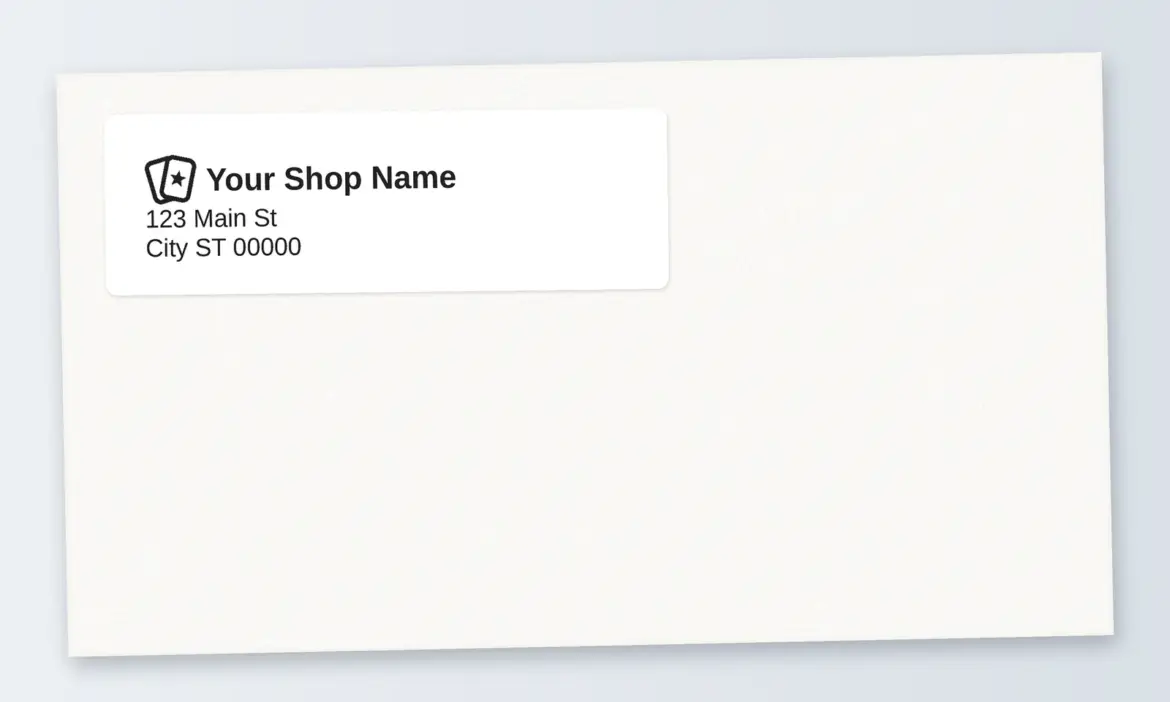
PWE orders get two DYMO 30252 Address labels, one for the buyer and one for your return address. Two clean labels beat one crowded one on a small envelope.
The return label is the fun one: a small two-card TCG icon next to your shop name in bold, with your address underneath.
Keeps your sheets up to date
Two spreadsheets do the bookkeeping: an inventory sheet with one row per card and a sales sheet with one row per order. No sheets yet? The bot builds both.
Each consignment partner gets their own tag in the sheets, and the bot does the commission math on their split. When a card sells, it looks up whose card it was instead of asking you.
New cards get checked against the inventory sheet so nothing gets listed or sold twice.
What you’ll need
Here’s my whole packing station. Start with the printers, since setup uses all three. These are Amazon links.
As an Amazon Associate I earn from qualifying purchases.
Printers
- Brother HL-L3280CDW: my pick. No ink, and it handles email print for slips.
- DYMO LabelWriter 550: address and return labels for untracked orders.
- Rollo label printer: 4 x 6 inch Shippo labels for tracked orders.
Packing supplies
- Toploaders: rigid plastic holders that keep a card in a soft sleeve from bending.
- Painter’s tape: seals the toploader and peels off clean.
- PWE inserts: hold the toploader in place.
- Envelopes: my favorite for PWE orders.
- Bubble mailers: for tracked or bigger orders.
- “Thank You for Your Order” stickers: go on the packing slip and nudge buyers to review.
Plus the basics: tape and stamps. You’ll also need a Shippo account for tracked orders.
My token card
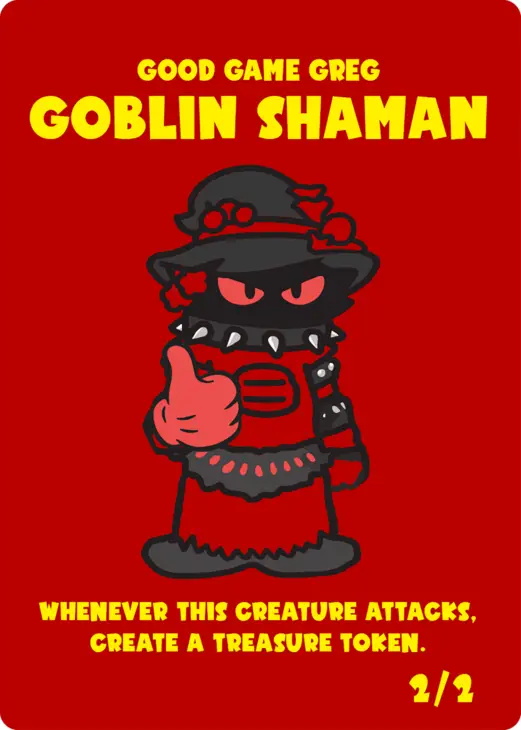
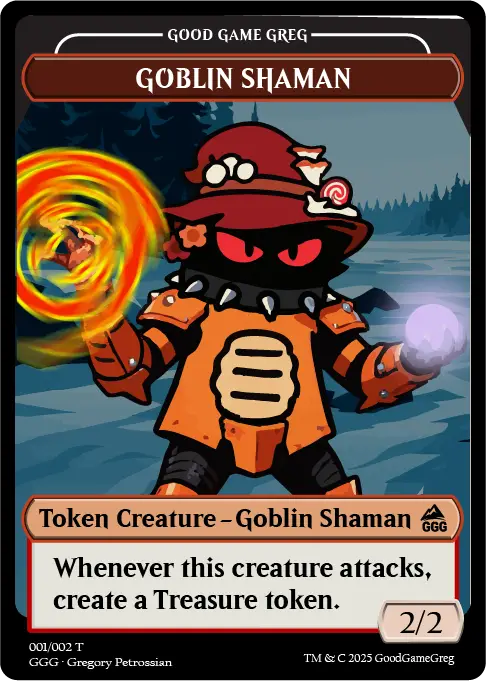
In Magic: The Gathering, a token card stands in for a creature or item that shows up during a game. I made free token cards for orders, standard card size, under my shop name, Good Game Greg.
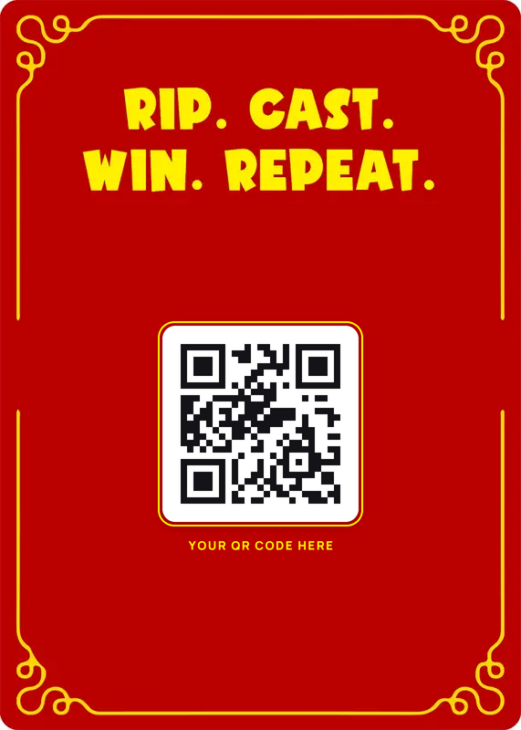
The front is a 2/2 Goblin Shaman (2 power and 2 toughness, the damage it deals and can take): “Whenever this creature attacks, create a Treasure token.” The back says “RIP. CAST. WIN. REPEAT.” with a QR code and my mascot.
I put one in every order until I quit making content. Now the QR codes go nowhere, so they’re here for inspiration.
New content creator? Steal this idea. Every buyer finds your name in the package. Have AI design yours, using mine as a template. Point the QR code at a Linktree (one page for all your links) or a link shortener (a short address that forwards anywhere), like my go.schemasauce.com.
Put a QR code on the back and point it at whatever you want to promote, like your store or your socials. Mine linked to my TCGplayer store, TikTok and Instagram through Linktree. Or use your own Software Factory to build a link shortener with QR codes and do it yourself.
Sizing and printing your own
My order at MakePlayingCards (MPC), which I recommend: Design Your Own Game Cards at 63.5 x 88.9 mm (2.5 x 3.5 in), A35 Thick Standard card stock, MPC game card finish, shrink-wrapped, 216 cards.
A traditional Magic card is about 2.5 x 3.5 in (about 63 x 88 mm), per the Magic Comprehensive Rules.
Design at 300 dots per inch (DPI), a measure of how sharp the print is. Run the art about 1/8 in past the edge, called bleed, so no white strip shows after cutting. Keep text another 1/8 in inside the edge, the safe margin, so none gets trimmed. Then grab the template for your exact product from MakePlayingCards’ blank card templates.
Watch out for “poker size,” which can mean 2.5 x 3.5 in or 63 x 88 mm. Bridge size (2.25 x 3.5 in) is too narrow, and tarot is too big.
Set up the TCGplayer seller bot
The bot walks you through setup in its first conversation.
- Install the template:
 Get the TCG Seller Assistant bot
- Answer the setup questions: the bot asks for your store name, email inbox, spreadsheets, consignment partners, printers, return address, Shippo account, order watch hours and three limits based on the product sale amount: when to add tracking, when to add signature and your autopilot limit. Below the autopilot limit, orders ship untracked with no label to buy. At or above it, the bot waits for your OK. Keep your autopilot limit at or below your tracking threshold. Mine are $50 for tracking, $150 for signature and $50 for autopilot. It also asks for your net floor for new listings, with 25 cents as the suggested floor. It works with Gmail and OneDrive, and Google Drive is optional.
- Sign in to TCGplayer: do it yourself in the bot’s own web browser. Your password never goes in chat. API keys for the print inbox or Shippo go in as secrets. An API key is a password-like code that lets one service talk to another, and a secret is a private setting kept out of chat.
- Fill in your Shippo sender details: use your store name as the sender name. Add a phone number and email to the sender address, or USPS rejects the label.
- Set up printing: turn on email print for slips. Then open the Grok Bot app on the computer that runs your label printers, connect it and leave it open. Plug the DYMO into that computer by USB and put the Rollo on your Wi-Fi network. The Rollo prints your Shippo labels. Load genuine DYMO 30252 labels in the DYMO. Comfortable with SSH? Add it as the backup route.
- Run a test print: fix the margins now, so nothing prints cut off. Then turn on the hourly order watch, and add the weekly and monthly sales summaries once you trust it.
